Showing posts with label Character Sheet. Show all posts

Wednesday, 30 September 2026

Dragonbane Phonesheet - A Character sheet for your phone (and Tablet... and Computer... and...)


  If you sometimes visit this blog, you have seen that I have followed Dragonbane from its first Kickstarter, and I have continued since, having both the rules in english and in french, and the boxes versions as well as the hardbacks... I know... I know...

  My first online fillable character sheet was even for the first beta version, though I have made new ones for the final rules.

  Since then, I have played mostly online in the Sideway  Theatre style which, I think, gives the best rendering for the game. 
  Though I have also released alongside dozens of standees for the game (because I mix all kind of displays depending on the way we play a session).

  But, recently, I have begun to use phonesheets for PCs and NPCs alike. Meaning a character sheet made to be used on a smartphone. It can be used for one phonesheet that each player can have on his phone, as well as for all the monsters or NPCs that the gamemaster can use in a game. 

  Though made initially for smartphones, it works as well on tablets and computers (where I have begun to open several of them at the same time during online gaming).

  The phonesheet app is a PWA app, meaning that it can be used in your browser or downloaded on your computer. The characters (and NPCs, and monsters), can be saved, exported, re-loaded or exchanged with other peoples. Which is quite convenient to prepare a scenario. And the app is free, of course.


You can see the presentation here: 


you'll find a link to the app in the description.

And, you can still find the other character sheets that I have made and the standees here on the blog.

Sunday, 7 April 2024

Dragonbane, fillable character sheets for online gaming (final edition, not test drive rules).

When playing online, I generally use Runehammer VTT, Owlbear Rodeo VTT, or similar simples VTTs, using paper and pens for any information that I want to keep on hand. Some players seem to prefer to have their character sheet on the screen, so, I generally make some fillable character sheets that they can use alongside the program, in another tab.

I had backed the test drive rules of Dragonbane and they really look to be right up my alley in style and complexity. When the final edition was released, I was a little disappointed by the differences from the test drive rules and let it down for a moment. I have gone back tot the rules and found that I could live with those changes (except maybe the rest rules, which have a quite classical problem, but that's a discussion for another day and easily solved anyway). 

So, I decided to remake the charsheets I made for the test drive rules, but this time adapted for the final edition. The user guidances are, of course the same as those for the test drive, but they are repeated here for ease of use.

Finally, I have only the official character sheet in english. I have translated it in french myself for the french version, but I could have to remake it later if the french edition translates some things differently.

Here is how the result looks like. Read further to find the files for your own use.


There are three ways to use those files:

- simply open the pdf file directly in your browser (I use Chrome) and fill it, noting any changes during play and saving the result at the end of the session.

- or, if you want to replace the illustration by the portrait of the character, you can open the odt file with LibreOffice or OpenOffice and modify the image before exporting the pdf.

- and, finally, if you want to display an illustration set inside a border with the same style as those in the Dragonbane rules, you can prepare it with just a few clicks in GIMP or Photoshop.

Nothing complicated with those few steps to follow. Here is how to do that:


1- Simple PDF charsheets, without illustrations: open and use


This is a no-brainer. You open the pdf file (with Chrome or any other program that let you modify and save modifications to a pdf file).


2. Charsheets with character illustration, open the ODT file and export to PDF


From that image, you can see that there is a space for an illustration of the character, which means that there is an image field in the odt form (obviously).

To fill that image field with an image of your choice (more or less square images are going to work best), open the odt file:

- odt file of the charsheet in Libre Office -

Check that you are not in design mode (Form Menu > Design Mode):


Double click on the illustration field and choose an illustration, ideally more or less square (to avoid empty space padding the image, but it will work with any proportions of image).


Export as pdf form (File > Export as PDF):


In the PDF option window that opens itself, verify that the button "Create PDF Form" is checked.


And that's it. If you open the pdf form in a tab alongside your VTT page, you have a charsheet as accessible as those imbedded in other online VTTs.


3. Placing the character illustration into a frame with the same style as the Character Sheet


If you want to take the Dragonbane style appearance a little bit further, you can make the illustration of the character in the same style as the rest of the character sheet.

To do that, you'll have to open a PSD file containing the frame with GIMP or Photoshop and export the portrait from there. I'll show how to do it with GIMP, because I assume that if you pay a monthly fee for Photoshop, you already know how to use it (and the steps are the same anyway).

Step 1: Open the PSD DoD-Portrait file with GIMP:


Step 2: Open the image of your character and select/copy it
File > Open
Select > All
Copy


Step 3: Go to DoD-Portrait window that you have already opened, select the -Place Image Here- layer and paste.


You can resize and/or move the image of the character within the frame with the transformation tools:


Step 4: when you are satisfied with the result, just export as a jpg (to export as a jpg, you have to manually write the jpg extension in the name of the exported file).


And that's all, you can place this image into your character sheet as we have seen before.


I hope you'll find those files useful. Let me know if there is anything wrong or unclear.

Happy gaming.

Saturday, 19 February 2022

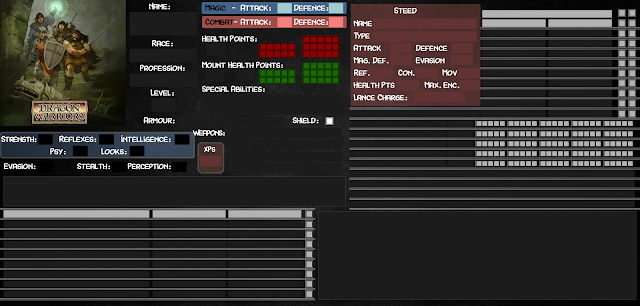
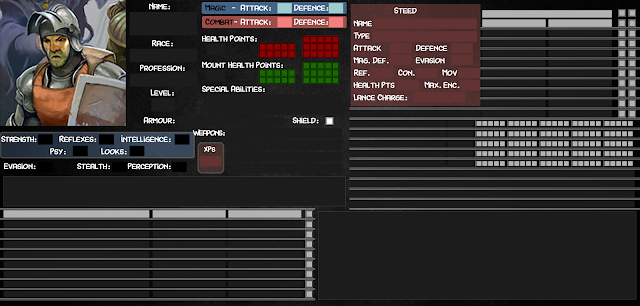
Online character sheets for Dragon Warriors - Fiches de Personnages online pour Dragon Warriors


When playing online, I generally use Owlbear Rodeo (actually the very best online VTT) , using paper and pens for any information that I want to keep on hand. Some players seem to prefer to have their character sheet on the screen, so, I have made some for the different classes of characters in Dragon Warriors.

Lorsque je joue en ligne, j'utilise généralement Owlbear Rodeo (qui est actuellement et de loin le meilleur VTT) , et, j'utilise du papier et un bic pour les notes que je veux garder sous la main. Certains joueurs préfèrent cependant avoir leur fiche de personnage affichée sur leur écran, aussi, j'en ai réalisé pour les différentes classes de personnage de Dragon Warriors.


There are two ways to use those files:
- open the pdf file directly in your browser (I use Chrome) 
- if you want to replace the illustration by the portrait of the character, you just have to open the odt file with LibreOffice or OpenOffice and modify the image before exporting the pdf.

Il est possible de les utiliser de deux façons:
- ouvrir le fichier en pdf directement dans un browser (j'utilise Chrome) 
- si vous désirez personnaliser l'illustration avec un portrait du personnage, il suffit d'ouvrir le fichier odt avec LibreOffice ou OpenOffice et de modifier l'image avant d'exporter la fiche en pdf.


Friday, 11 February 2022

Using Custom Online Character Sheets

There is, of course, no obligation to use digital character sheets whilst playing online.

A simple sheet of paper on your desk can easily do the trick. It is certainly enough for my notes and for tracking PCs, NPCs, scenario info... but some players prefer to have their character's info on the screen, alongside the VTT display. So, why not?

Some of the most used online VTTs provide sheets that you can use within the program, more or less customizable, more or less limited and more or less available, depending on the VTT and the game played.

There are two BIG problems with those embedded sheets. The first one is that you have to fill lots of stuff on those sheets, because peoples designing them never think there is enough information on them.

The second one is that if you play one of the games for which no charsheets are provided, you are out of luck. You'll have to setup one yourself in a programming language that is generally not intuitive, and with almost no control on the look and usability of the sheet.

It can be quite frustrating, but, you don't have to use those. 

There is a far easier way to have online charsheets and in a very simple way: using simple PDF forms that you can generally find online for your favorite game, or that you can produce yourself by making a form in Open Office or Libre Office (in odt format) and export as a PDF form.

Making PDF forms is really easy: you make an image of the form you want to design. Set it as background in Open Office or Libre Office. And then place the fields you want onto it (bullets, check boxes, text, images...). Let's have a look at the result.

Here is the exemple of the charsheet I have made for Lamentations of the Flame Princess. As you can see, the page setup is in landscape format to be in the same orientation as a screen.

And there is a space for an illustration of the character, which means that there is an image field in the odt form (obviously).

To fill it, open the odt file (sample files are found at the end of this post to let you try it). Note that if you make charsheets where there is no illustrations to place, you can directly use the PDF in your browser without going through the odt first, but it is less funny...).

- odt file of the charsheet in Libre Office -

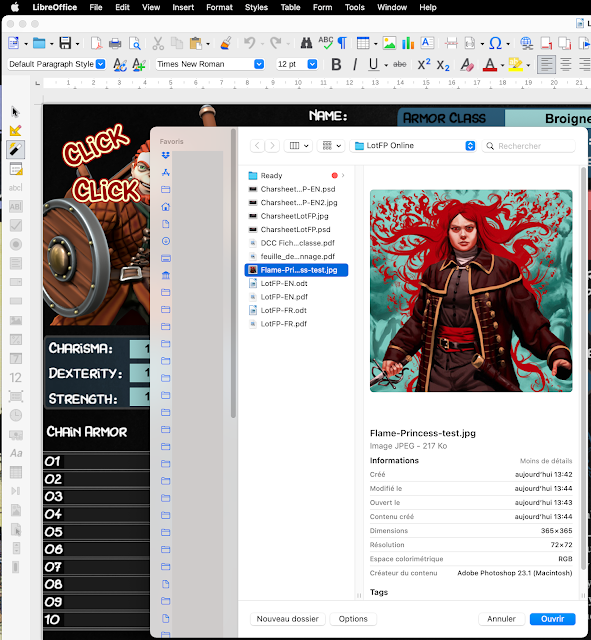
Check that you are not in design mode.


Double click on the illustration field and choose an illustration, ideally more or less square (to avoid black areas padding the image, but it will work with any proportions of image).

Export as pdf form (check that form is active).

And that's it. If you open the pdf form in a tab alongside your VTT page (on Owlbear Rodeo, preferably, it is the best one available -and free- at the moment), you have a charsheet as accessible as those imbedded in other online VTTs, but much more flexible, easier to produce, and adapted to YOUR game and tastes. And if you need special sheets to add for certain class of characters (sheets with lists of spells, for exemple...), you can always make one that the player can open in another tab.

Indeed, any information that a player may want to have available can be turned into a pdf, fillable or not, that can be opened in a different tab. The difference here, with the sheets offered by VTTs like Roll20 or Foundry, or .... is that here you only have what you want, in the way you want, and each player can have his own setting without having to use a predefined one.

CAVEAT: When you have finished using the form in your browser, don't forget to save it WITH the changes. If you just close it, they will be lost. It is probably a good idea to save regularly your progresses (yes, we all know that and still...).

If you don't want to go through Open Office or Libre Office to export PDF forms customized with an illustration of the character, you can just do it once and place the logo or the cover of the game as an illustration. And then use directly copies of the same pdf for every player.

But, above all, remember: it is not because something can be turned into a digital format that it must be, and papers and pencils are still the most versatile way to record information. But, of course, YMMV....

If you want to experiment a little, here are the LotFP sheets (english and french) in odt, and the samples in pdf that you can open directly and fill in your browser.


Sunday, 25 March 2012

Moleskine, Spies & Private Eyes (fillable pdf forms)

I have been using a moleskine notebook to prepare my roleplaying sessions for some times now.

As I have already explained, I have made some stats blocks that I print on sticker paper to insert in the notebook (though I have also used them to stick inside a printed scenario or, printed on paper, as normal files cards).
I have already published the Savage Worlds versions in a previous post.

Now, here are two new pdf fillable forms to use in your notebooks. They are made for Mercenaries, Spies & Private Eyes, which means that they are also usable for Tunnels & Trolls.

Those forms were made with a scenario of a "Lost World" kind in mind, so there are two versions of the forms, one in a more fantasy style (heavily inspired by Dyson's character sheet) for the characters of the archaic world and one in a more pulpish style for the characters coming from the modern world.

Note that to be able to record a filled character sheet and add images on it, you shouldn't use Adobe Acrobat, but choose instead Foxit (for PCs) or PDFsigner (for Macs).

MSPE/T&T pdf form (archaic-english)
MSPE/T&T pdf form (pulps-english)
MSPE/T&T pdf form (archaic-french)
MSPE/T&T pdf form (pulps-french)

Friday, 2 March 2012

Savage Moleskine revisited

Some times ago, I explained how I was using my Moleskine notebook to prepare Savage Worlds game sessions. And I did post the index cards I am glueing in my notebook (but you can use them as normal index cards if you prefer).


But as I discovered recently the art of turning a form sheet into a fillable PDF, I have remade the index cards. You can now fill the pages on your computer, add a portrait or other images and then save or print them.

Note that to be able to record filled character sheets and add images on them, you shouldn't use Adobe Acrobat, but use instead Foxit (for PCs) or PDFsigner (for Macs).

Savage Worlds NPC moleskine sheet in english
Fiche de NPC moleskine pour Savage Worlds en français
Savage Worlds Vehicle moleskine sheet in english
Fiche de véhicule moleskine pour Savage Worlds en français.

Tuesday, 31 January 2012

Character sheet form in pdf: Mercenaries, Spies & Private Eyes

Having witnessed more interest than I had imagined for my two posts about MSPE, here is another play aid, a fillable pdf character sheet. It is a very plain one, but I hope it shall be useful for you. You can download it here. And, of course nothing prevents you from using it with Tunnels & Trolls (I have added the stat Wizardry that I have sometimes used with MSPE).

It is, of course, nice to be able to fill a character sheet on screen, if only to avoid crossings out. But what are you going to do with it when it is filled? That's where things get more complicated (thanks Adobe).

Opening the PDF file and filling the fields should be no problem. You could just open it with Adobe Acrobat.
But, a window above the document shall warn you that you can't save any modifications or fillings you have made on the PDF. You can only print the page.
If all you wanted to do with your character sheet was to print it on paper, fine. But if you wanted to keep a filled document on your hardrive, there is one more step.

To keep a filled PDF file in an unchangeable format:

If you are on a Mac, no problem, the OS let you print in PDF from any application. Nice.
If you opened the PDF form with Preview or Acrobat Reader, you just have to choose "Print" "Save as PDF" and you'll have a document with filled fields. Those fields won't be editable anymore.

If you are on a Windows OS, you'll have to setup an application to print to PDF (which just means save your file in a non editable PDF). A program like PDFcreator (free) should work though there are others, free or not.

To keep a filled PDF in an editable format:

If you are on Mac, well, Preview let you also fill your PDF form and keep it in an editable format. Instead of choosing to print to PDF, you just have to save your document, that's all.
But, if you want still more functiunalities, there is PDFsigner, which can not only save an editable PDF, but also insert images on it.
This way, you can add one or more illustrations, which is quite useful for a character sheet. And the document is still modifiable.
The application is available on the Appstore for 9 dollars, which should not bankrupt you. A must for Mac users GMs.

If you use a Windows OS, Foxit (free) shall let you save your PDFs and change them later. And, what is most important, Foxit can also import images.

From all those options, Foxit is really the best and I can only regret that it doesn't exist on Mac.

If you know about alternatives applications, let us know about it.

Thursday, 15 December 2011

Fiche de personnage éditable

Une première aide de jeu en français pour Savage Worlds: une fiche de personnage à remplir électroniquement au format pdf. Il vous suffira d'ouvrir le document et de remplir les champs ou de cocher les cases avant impression. J'ai essayé de rendre la fiche assez universelle pour pouvoir s'adapter à différentes périodes. Je compte bien créer ultérieurement des fiches dont l'apparence correspondra mieux à un univers de jeu particulier. En attendant, celle-ci devrait faire l'affaire pour la plupart des types de jeux.

Bien sûr, c'est agréable de pouvoir remplir sa feuille de personnage à l'écran et ça évite les ratures en cas d'erreurs. Encore faut-il savoir quoi en faire lorsque le document est rempli. Et c'est là que ça se complique (merci Adobe).
Ouvrir le fichier PDF et remplir les différents champs ne présente pas de problème. Il suffit d'ouvrir le document avec Adobe Acrobat.
Cependant, une fenêtre au dessus du document indique qu'il n'est pas possible de sauver le document avec les modifications qui y ont été apportées, seulement de l'imprimer.
Si tout ce que vous comptiez faire c'est l'imprimer sur papier, pas de problème. Cependant si vous comptiez en conserver un exemplaire électronique rempli, un pas supplémentaire sera nécessaire.

Pour en conserver un exemplaire électronique rempli non modifiable:
Si vous utilisez un Mac, pas de problème, le système permet d'imprimer virtuellement en PDF à partir de n'importe quelle application. Que vous ayez ouvert le PDF avec Aperçu ou avec Acrobat Reader, il suffit de choisir "Print" > "Save as PDF" et vous obtenez un document qui a conservé les valeurs que vous avez rentrées dans les différents champs. Ces valeurs ne pourront pas être modifiées ultérieurement.
Si vous utilisez un système Windows, vous devrez installer un programme supplémentaire qui effectuera une impression virtuelle (c'est à dire qui sauvera le document en un PDF non éditable). Un programme comme PDFcreator (gratuit) devrait faire l'affaire, bien qu'il en existe d'autres, gratuits ou payants.

Pour conserver un exemplaire électronique rempli et éditable:
Si vous êtes sur Mac, eh bien, Aperçu permet aussi de modifier le PDF éditable et de sauvegarder les modifications. Au lieu de choisir d'imprimer, il suffit de sauvegarder à la fermeture du document, voilà tout. Cependant, si vous voulez encore plus de fonctionnalités, il existe PDFsigner, qui est capable, non seulement d'effectuer une sauvegarde, mais aussi d'intégrer des images dans le PDF. Il est donc possible d'ajouter une ou plusieurs illustrations, ce qui est quand même bien utile pour une fiche de personnage. Et de plus, le document reste éditable. Le programme est disponible pour 9 dollars sur l'Appstore (7-8 euros selon le taux de change), ce qui ne devrait pas vous mettre sur la paille. C'est probablement un must pour tous les maîtres du jeu possesseurs de Macs.
Sous Windows, Foxit vous permettra gratuitement de sauver vos documents remplis et de les modifier ultérieurement. D'après le site de Foxit, il est possible d'ajouter des images au document, ce qui en ferait le top des programmes pour utiliser les PDFs, gratuit et complet.
Si vous connaissez d'autres alternatives, n'hésitez pas à les signaler.