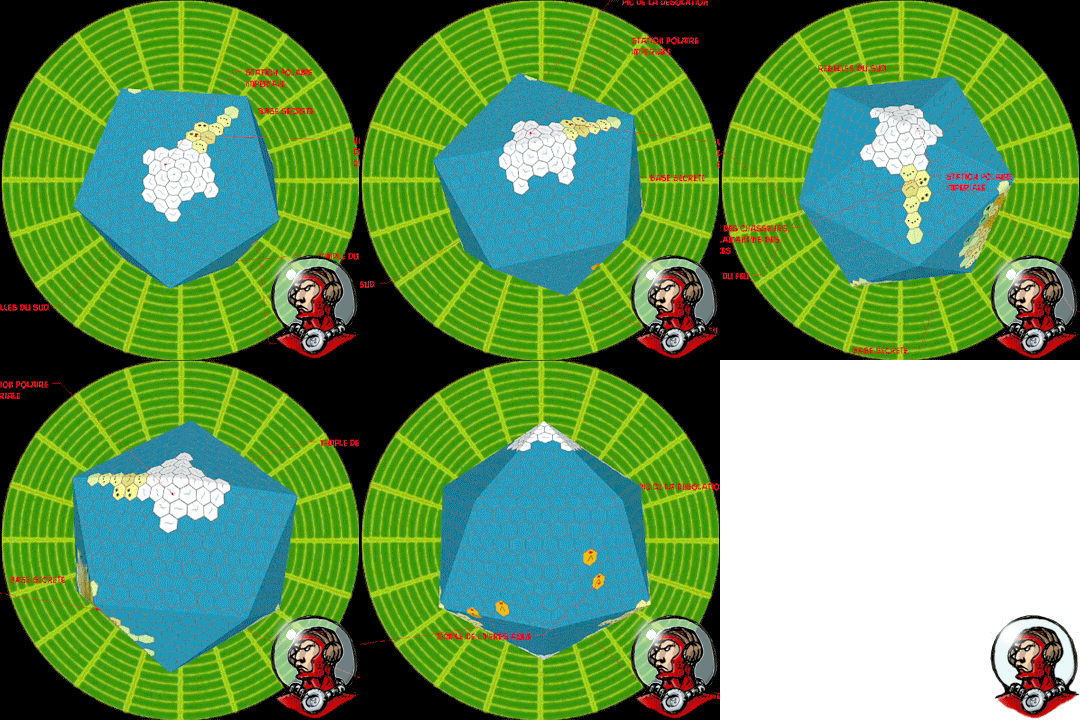
Showing posts with label Star Frontiers. Show all posts

Friday, 1 May 2015

Planetcrawl: editing the planetary 3D map during the campaign

THIS ARTICLE IS OBSOLETE. THERE IS NOW A FREE VIEWER TO SEE YOUR TRAVELLER STYLE MAPS ON A GLOBE. USABLE ON PHONE, TABLET AND COMPUTER.
THE NEW ARTICLE IS AVAILABLE HERE :


Now that we have found a way to create easily 3D planet maps with hexes, maybe we should give a little more attention to tools that could help us to run our planetcrawl.

And the first one is how we can display new informations on the map, or even edit the map as a consequence of the actions or discoveries of the characters.


Sketchup floating labels
The easiest way is to add a floating label that points directly to the place that you want to mark. The advantage is that you can add as much text you want into it. The drawback is that if you have too much of those labels, they are going to make the planet map very confusing.
Anyway, they are easy to make:

-Choose the label tool
-Click on a point on the map and extend the label to its position
-Fill the text in the label


Editing the map
It is also possible to draw directly on the texture map that covers our 3D planet model. Indeed, Sketchup has a function just for that.

-step 0: before being able to use that function, you need to have a graphic program linked to Sketchup:
              -Preferences>Applications and choose a graphic application like GIMP or Photoshop

Now, you can edit your map, from Sketchup, on the fly:

-step 1: right click on a face of the 3D map, choose texture>edit texture image and it should open in the program chosen in step 1.
-step 2: make the modifications to your map in your graphic program. Hint: if you are making a change on your map because the players have discovered that their map was inaccurate (there is a city where their map indicated a forest), a simple copy and paste from another hex is quick enough.
-step 3: Flatten the image and close it. When the program asks to save the changes, click yes.

Given the size of the mapping texture, it won't be possible to add many informations onto the hexes. At best a symbol of two or an index indication directing to a note in your scenario.

But, whatever solution you use, it won't be possible to map the planetary 3D model with the details that could be needed once our characters are on the ground.


So, we are going to need sub maps for zooming in on the area covered by one hex of our planet (only those with interest, that need some focus, of course). But as soon as we do it, we are into known territory: the classic hexcrawl that we have known and practiced before.
You'll find a lot of advice by reading the articles about hexcrawls that were posted on The Alexandrian blog, more to the point that I could hope to write.
Anyway, to map those hexes, you can go back to Hexographer, Tiled (a post about that wonderful program is long overdue) or sketch them on paper.


Sunday, 11 January 2015

Planetcrawl with an easier way to make 3D Traveller style world maps

THIS ARTICLE IS OBSOLETE. THERE IS NOW A FREE VIEWER TO SEE YOUR TRAVELLER STYLE MAPS ON A GLOBE. USABLE ON PHONE, TABLET AND COMPUTER.
THE NEW ARTICLE IS AVAILABLE HERE :


Some times ago, I did show a way to turn the kind of planetary maps familiar to Traveller gamers into 3D views for the enjoyment of your players.

Whilst not very complicated, it involved the cutting and pasting of every face into the model, one by one, twenty of them....
It was not a very bright solution.... It can be made in one step....Sorry.

So, here is a new way to turn your planet maps into a 3D model that your players can look around to observe the geography of their destination. But now, it can be made in less than five minutes.

Observant readers will notice that I have also modified the presentation of the result, so that now, it avoids giving the impression that planets are D20 in space but show the model as a simplified 3D representation destined to give only the pertinent information about a planet to an overburdened space crew.


PART ONE: PREPARING THE FLAT MAP
- Open the Icosahedral Worldmap Generator from Inkwell, the makers of Hexographer (free to download HERE)
- Generate or draw your map. You can generate a map or place yourself all the hexes you want. The best idea is probably to generate the map and change the parts you want to make specifically to fit your scenario. Take care to choose the number of hexes of a mapside, depending on the size of the planet. Export the map as png.
Click the image to see full size
- Open the png in GIMP (free to download HERE)
- Crop: as you can see, there is a grey area, extending around the map itself. Select the map itself with select rectangle tool and then crop to the selected area.
Click the image to see full size
- Resize: Our cropped map must be exactly 1500 x 709 pixels, so resize it to that size. Disable the automatic Keep Proportions.

- (Optional) Heal: whilst we have cropped out the exterior grey area, there are still grey triangles area between the triangle faces of our map. Those areas won't show on the 3D map, so we could keep them. Still sometimes they can appear as fine lines between faces of our 3D maps. It is easy to get rid of them to have perfect matches faces on our 3D maps. Select those grey triangle and apply the heal selection filter.
Click the image to see full size
Above is the healed view of the map. As you see, GIMP added parts where the map was plain grey. This is unimportant, because those part won't show on the 3D map. What is important is that the colors have been extended from the map boundaries, meaning that there won't be grey visible on the 3D map.

- (Optional) Add features to your map: of course, whilst you are in GIMP, you can add some special features on your maps (text or wathever).

- Export as png.

PART TWO: FROM 2D TO 3D

- Open Sketchup (download for free HERE) The free version is the one called Sketchup Make.
- Open the blank planet map (download it HERE)
- Replace the blank texture with the planet map you designed in part one. For that, do the following:

Open the texture window (bucket tool and clicking the brick on the choices on the upper part of the panel) and double click on the empty planet texture (the one with the letters) to open the panel completely.
Click the image to see full size
Go to the texture menu in the lower part of the window and choose Load. Navigate then to your planetary map and choose it. It is done.
Click the image to see full size
- (Optional) Add 3D labels to your map (like those moving around on the above animated gif)
- Save your file

Your players can now view and manipulate the map within the Sketchup viewer (freely available HERE), without any risk to modify it. Basically, they should simply click the tabs at the top of the page, but they can also use the normal sketchup manipulating tools. They can always come back to the normal views by clicking a tab anyway.

Five minutes flat for a planetary map, which means that a full subsector can be mapped in 3D in one hour. Meaning also that with just a little more work and then...

How about playing a planetcrawl or even a spacecrawl or sectorcrawl? It wouldn't be very complicated....

A few encounters tables by terrain types common on all the planets (spaceports, imperial cities,...), a few encounters tables for terrain types specific for a planet (natives cities, wilderness,..) and a few hexes with prepared places that the players are searching for or containing the stuff that every adventurers are wishing to find (a crashed spaceship, the ruins of a pre-imperial civilization, a research station which doesn't emit anymore, the hideout of the scientific madman, the secret base where the Zorgs are keeping the space Princess captive,...). Don't forget to add trading and adventures opportunities, here and there.

Try to alternate civilized, populated planets and barren unexplored ones. Keep space communications limited by light speed whilst space travel is through space wrap, meaning that if you want to know something, you'd better go and see for yourself.  Space travel should be more like pirates ocean going than 21th century communications.
Make even wrap travel slow enough to give a strong feeling of navigating among an ocean of stars separated by gulfs of blackness. 
Add misjump possibilities, just for the look on the player's face when they appear in a system swarming with Zorgs warships where nothing have been reported before.

And, of course, all this should happen on a frontier sector, where most of the universe is still mysterious and largely unexplored.

But, mostly, give the characters reasons to move and to search; either to find something or someone or solve some mysteries; and/or to flee from someone or something. This is pulps space! Have action!

First choice to use those ideas would be CLASSIC TRAVELLER (just the black books 1, 2 and 3), of course. After all they are rules that were designed to be able to play in any scifi setting. The imperial background channeled the game in another direction, but is, after all,  a later addition.

Wouldn't a game like  X-PLORERS also perfectly fit this mood? It is a wonderful old school scifi game. It shall give you all you need for the kind of campaign described above. ....  You could also use other games with the right state of mind: STAR ACE, STAR FRONTIERS, SAVAGE WORLDS,  TALES OF THE SPACE PRINCESS. Or also, STAR EXPLORERS, STARSHIPS & SPACEMEN 1st or 2nd Edition for a Star Trek feeling, which, of course blends quite well with a planetcrawl game. Ou enfin, en français EMPIRE GALACTIQUE (la première édition seulement, la seconde ne tenant pas vraiment la route).

Now is the time for retroscifi planetcrawl. Time to dust off your Poul Anderson and Edmund Hamilton novels. Grab you blaster, fire the engines of your old trusty modified Trader smuggler spaceship and go save a Space Princess.


Sunday, 11 August 2013

3D Traveller style planets maps for space opera games with Hexographer and Sketchup

THIS ARTICLE IS OBSOLETE. THERE IS NOW A FREE VIEWER TO SEE YOUR TRAVELLER STYLE MAPS ON A GLOBE. USABLE ON PHONE, TABLET AND COMPUTER.
THE NEW ARTICLE IS AVAILABLE HERE :


For me, one of the most enjoyable parts of mastering a space opera game, has always been the mapping part. I have always loved the idea of making the planetary maps on the icosahedron projection that was used in RPGs since Traveller. Like that one:


(this map comes from the Hexographer free map generator, read further)

Whilst I make with great care the maps that are required for the scenario, I have always needed more maps than those. Indeed, the players are bent to wander around and, after all, one of the attraction of space opera is the possibility to travel around in an almost limitless setting.

So, I also need to be able to populate parts of the setting that are not vital for the scenario. It is quite easy as far as stats are concerned (all rulesets have generation systems for sectors, stars and planets), but it can be very time consuming if you want to map all those planets, or even some of them.

That's where Hexographer comes in. It is a simple mapping program that lets you make normal maps. And, if you have never heard about it, you should have a look, it can make your life as a GM much easier.

But it also has a setting for icosahedral maps. And what is even more interesting, it can also generate maps from a few chpices (hydrography, mountain ranges,...) which are the kind of informations that your game system and scenario has normally provided. And then it lets you customize the generated result.

But it is even better: there is a free version here that is limited to planetary maps. It should be enough for what we are speaking about here, though I would advise you to buy the full version, it is not expensive and you won't regret it: it will give you access to other mapping functions, styles,...

Anyway, download it, open it and generate a few maps, it is fun and even addictive.

But, why stop there? Why not present those maps in a 3D way? Like this one:


This is simply the map shown above turned into a 3D view.

First, you'll need Sketchup to change the flat map into a 3D model. You can download it Here.

You'll also need the empty 3D model planet. It is a Sketchup skp file with empty faces, and you can download it Here.

Now, generate a map with Hexographer, we are going to turn it into a 3D planet.

Open the empty Sketchup planet file with Sketchup, it should look like this:


Click on the A1 Tab. Click once on the face that is in front of you to select it. Then, Right-click>Texture>Modify Image Texture.

The face A1 that you were facing should open itself in the graphic program that is associated with Sketchup (if no graphic program is associated with Sketchup, go to Preferences>Applications and choose one, something like Photoshop or GIMP would be perfect).

Now, open the map of the planet you generated with Hexographer and select the part corresponding to the A1 face, paste and resize it. Flatten the layers and save.
The new image should now be visible in Sketchup on the 3D map. And as there are twenty faces, yes, you'll have to do it twenty times (from A1 to C5).

To make it easier to select the part of the map associated with a face, here is a little sketch of them:


When you are finished, just save your Sketchup model.
You, of course,  can re-open it any time and make any  changes you want, using Sketchup.

But if you prefer that your players, whilst being able to see and manipulate the 3D map, are unable to make changes, let them open it using Sketchup Viewer, available Here.

Have fun.


Tuesday, 22 November 2011

Retrogaming and retroclones

I have been sadly disappointed by the trend that seems to become the norm in newer indy games. Most designers seem to think that they have to do games which result in game sessions that read like a movie instead of just giving the settings and rules for the players to live their own adventures. You could say it is narrativism taking all the place in the game

To sum up what I find unappealing in those games:
-heavily scripted narration, railroading the players
-loads of meaningless rules or fluff
-metagaming
-loss of immersion to narrativism and the loss of personnal story to narrativium (that should only exist in novels and on Discworld).

Let me explain:

Narrativist games try to have adventures that play like a movie or a book. You can find the result more appealing from an external point of view: the players have seen themselves in the same situations they liked in a movie/book and the result was what could have been expected in this kind of medium.

But they have been cheated.

Because to have that result, the game's designer, the gamemaster and the players themselves have done what an author has to do: cheat with chances, hazards and events.

In a movie/book the results of actions, the happenstances are always those that make the story more interesting. That's quite easy: the author has complete control on all the elements of the story. And, moreover, he has to do it, because a good story is what he wants to write.

In a RPG, if you are trying to have the best story possible, you have to channel the game in what is the best direction for the best resulting story. A kind of narrativist railroading.
And if the author of a novel has to railroad his work (he has to choose a path), a gamemaster shouldn't.

Yes, maybe the resulting story looks better from an outside point of view. Maybe even to the players.
But they have "seen" a story, even if they participated. They have not been living it, in the sense that the alternate world they have been living in was heavily loaded in their favor (or in favor of the "best" result).

To have a gaming experience that is a kind of alternate reality, an alien place where the players live another life, what you need are rules that adjudicate the results of player's actions within the constraints of the game world.

And most importantly, you need rules that keep the players stuck in the point of view of their characters. The players must be able to decide all that their characters could decide, but they are not to be co-scenarists, with metagaming choices about their worlds.
Except, of course, if you try to simulate a group of Hollywood scenarists writing a story, which is probably what narrativist games are about.

The players should be able to play their character, all of their character, but only their character.

That kind of experience was what older games provided by default.
That's why, I think, there is an appeal to those games that goes far beyond the nostalgia. They let you live in an alternate world, with stories that don't always turn out right, that don't always have the good guys trashing the villains, they don't give you the formatted result of a movie or comic, but the chaotic result of living an alternate life in a different world. More challenging, surely, but more rewarding also.

Of course, you can prefer to be a spectator in better polished and more stereotypical stories, that's a perfectly valid choice. But it is not mine.

The good news are that older games that play that way (alternate lives as opposed to storytelling) are easily available (alongside recent games keeping that philosophy).

Those games are old, but some are still available. Because they have been simply re-released on the net (generally as a pdf) or because they are still available even if they are decades old or, finally because they have been retrocloned.

I won't speak here about retroclones from the most famous RPG (now, which one could that be?), because they are already discussed in a lot of places. And, as I almost never played D&D, either then or now, I am not very qualified to comment on old editions, new editions or old editions made new again.

So, what I am speaking about is not retrocloning, but mostly retrogaming.

In a way, retrogaming is what I am already doing by GMing Flashing Blades, a swashbuckler's 1983 rpg that is still available as a PDF on RPGNow.

Mercenaries, Spies & Private Eyes: IMHO, the best contemporary RPG ever to be released. I have played it for years and I could get back to it if struck by inspiration. It is the modern (and more down to earth) version of Tunnels & Trolls, which, being fully compatible, I have frequently used as an archaic sourcebook for MSPE but which is in itself a wonderful fantasy rpg.

Flashing Blades: a really good swashbuckling game that really gives you the impression to live in the period and to fight with rapiers. Probably too much influence from "En Garde" rules for the social careers system and some historical simplification. But nothing really important.

ZeFRS: the retroclone of Conan game from TSR, without the hyborean stuff that was copyright. Once reviewed in White Dwarf as "D&D as it should have been from the first...". Really good, fast and fun sword and sorcery game. You can have it free from the link above or buy it cheaply from Lulu, but I would recommend the Legend of Steel version, available on RPGnow and with a very evocative game setting.

Star Frontiers: the TSR space Opera game. It has all that is needed to play stories across the galaxy in the style of Traveller's adventures. It is available for free on the net, in a cleaned format and with the copyright holders approval. All the supplements and original adventures are also available and some new stuff as well.

Dragon Warriors: again IMHO, the best classical fantasy RPG (I mean with elves, dwarves,...) but with a more dark tone and muuuucchhhh more credibility and coherence than the usual D&D stuff. It has been re-printed and reformatted (the five original books have been incorporated into one tome). And all the supplements and adventures have been re-published.
"From the cold" particulary contains probably a mix of the best stuff that was published, for any game, in White Dwarf magazine. It is a tribute to Dave Morris that I realised only recently that all those RPG gems that I thought made by lot of different peoples (because they did bear various authors names) were all mostly made by him.

Swordbearer: a very good and original fantasy game from FGU. If you like FGU style, you'll like it. Less dark in tone than Dragon Warriors, you could easily adapt your usual fantasy stuff for this game.

Harnmaster: one of the best machine to visit a middle-ages/fantasy setting.

The two next games were released by Pacesetter. Along Chill first edition, they used the same four colors universal resolution table, which made them fast and fun to use.
Whilst Chill first edition has not been re-released, Star Ace and Timemaster can be found on RPGnow.

Star Ace is the space opera game, it contains all you can need to play in an universe torn between an evil empire and a republican federation (well, and an alien menace). The stories are more of the "mission" style than in Star Frontier. The adventures are available as well.

Timemaster is a time travel RPG and a very good one. There is a lot of scenarios also available. And they are very fun to play. Timemaster lets you immerse your players in ever changing situations: one game in swashbuckling Paris with the musketeers, next one in ancient Rome,.... Very good stuff.

All those games will let you experiment an alternate life from the point of view of your character. They will provide a challenge for you as a player, because your character won't be saved by story tricks or his "pre-ordained destiny" as the hero.

If you play like a moron, your character will fail like a moron. Period. IMHO, that's the way it should be.

You can prefer the cheaper ego-boosting experience of narrativism, your adventures shall have better scripts, even your failures (and they shall be few) will be philosophically meaningful.

But, down deep, you'll always know that it was staged in a railroading world of fakes.

You'll know that your character was pre-tagged as a hero by the system, even if he didn't deserved it. Even if you didn't deserved it.

And you, do you retro game? There are other older games that have been re-released, mostly in PDFs, that I didn't included because I don't know them as well, do you use them?